Flyers

Flyers that are intended for print, and to be shared digitally on the website, social media, email, or other methods of electronic distribution, must follow accessibility guidelines and best practices.

Creating Accessible Flyers


Flyers are often created in programs like Illustrator, Photoshop, or Canva and exported as PDFs. These PDFs often lack proper tagging and essential accessibility features, making them unreadable by assistive technologies.

Ensure Accessibility from the Start

  1. Use accessible design principles: Create a properly formatted document.
  2. Check export settings: Ensure your design program offers options for exporting PDFs with accessibility features.
  3. Evaluate the PDF: After exporting, use an accessibility checker to ensure proper tagging and address any issues.


Accessible Flyers Checklist


Use the following checklist to assess if your flyer meets accessibility standards and best practices. This list is not exhaustive, but includes tips to help you avoid common issues. Download Printable Checklist.docx

Sharing Flyers on Social Media


When a flyer is saved as a JPEG or PNG for social media, the text is flattened into the image, making it inaccessible to assistive devices like screen readers. As a result, visually impaired users cannot access the information.

Solutions

  • Provide a full transcription of the flyer's text, including all relevant details, in the post or comments to ensure users of assistive technologies can access the important information.
  • Create an accessible PDF version of the flyer that can be read by screen readers. In your social media post, share the image along with a link to the accessible PDF.

Sharing Flyers on the Website


Why is this flyer inaccessible? 

This flyer was created in a design program and exported as a flattened image in PDF format, lacking accessibility features. As a result, assistive technologies cannot read the content. It has no proper tag structure, meaning there are no headings or lists for navigation, and the text is image-only, making it unselectable and unreadable by screen readers.


alt=""
alt=""

Solution

  • Create a web page to serve as a transcript of the flyer’s content. This will ensure that all users can access the information. However, remember that this web page shouldn't replace the need for an accessible PDF version, especially if you plan to distribute the flyer. The PDF should also be made accessible.

Sharing Flyers in an Email


Embedding a Flyer

When you embed a flyer in an email, you are essentially embedding an image. It's important to remember that screen readers cannot interpret text within images, and many users disable images in their email clients for privacy or bandwidth reasons. Those with vision impairments may also be unable to view the image.

  • If you embed a flyer in an email, ensure that any text in the image is also included in the body of the email. Important details, such as the event’s date, time, and location, should be clearly stated in the text.

Attaching a Flyer

Before you attach a document to an email, ask yourself if this is the best way to communicate the information, or could it instead be simply added to the body of the email? 

  • If it’s necessary to attach the file, make sure the document is accessible. Follow document accessibility best practices, such as adding tags, headings, alt text, and being mindful of color.

Don't Do This
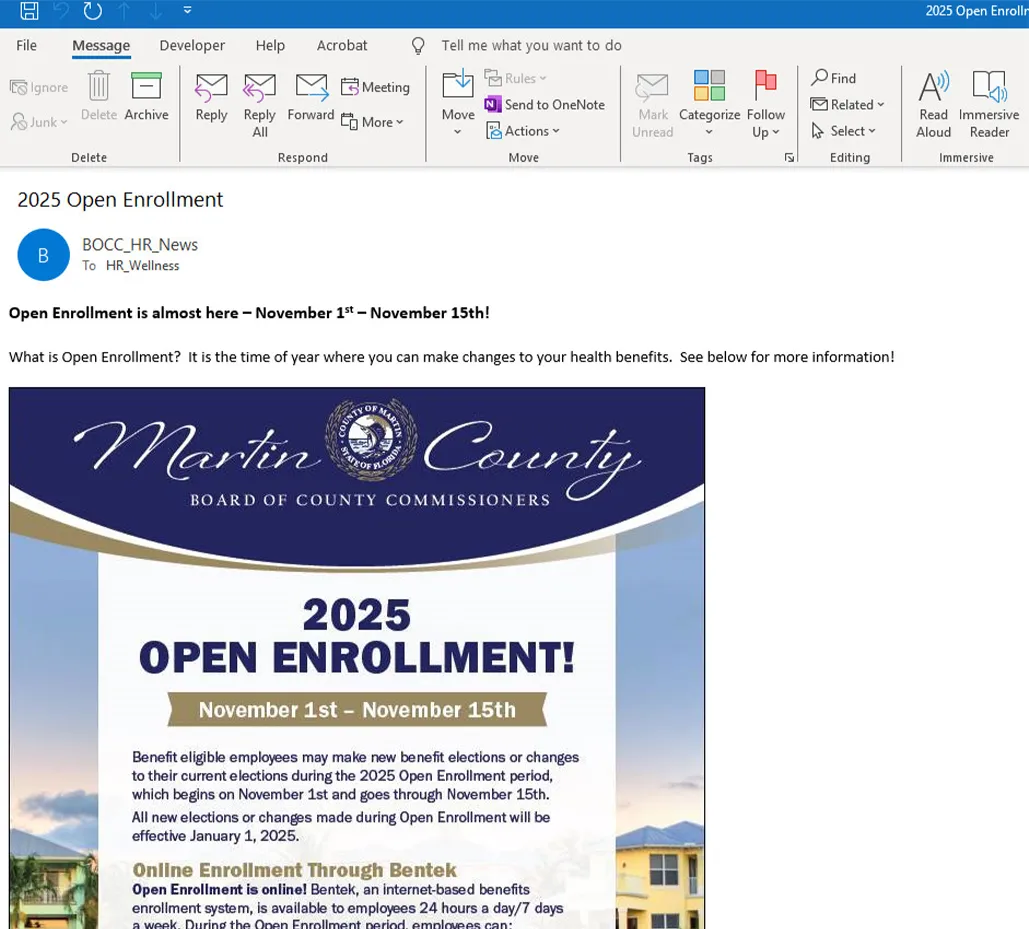
Example flyer embedded in an email

Why Is This Wrong? 

The flyer was embedded as an image, and the email instructs users to refer to it for more information. However, users relying on screen readers won’t be able to access the content since screen readers cannot interpret text in images. Additionally, users who choose not to load images will miss this important information entirely.

Do This
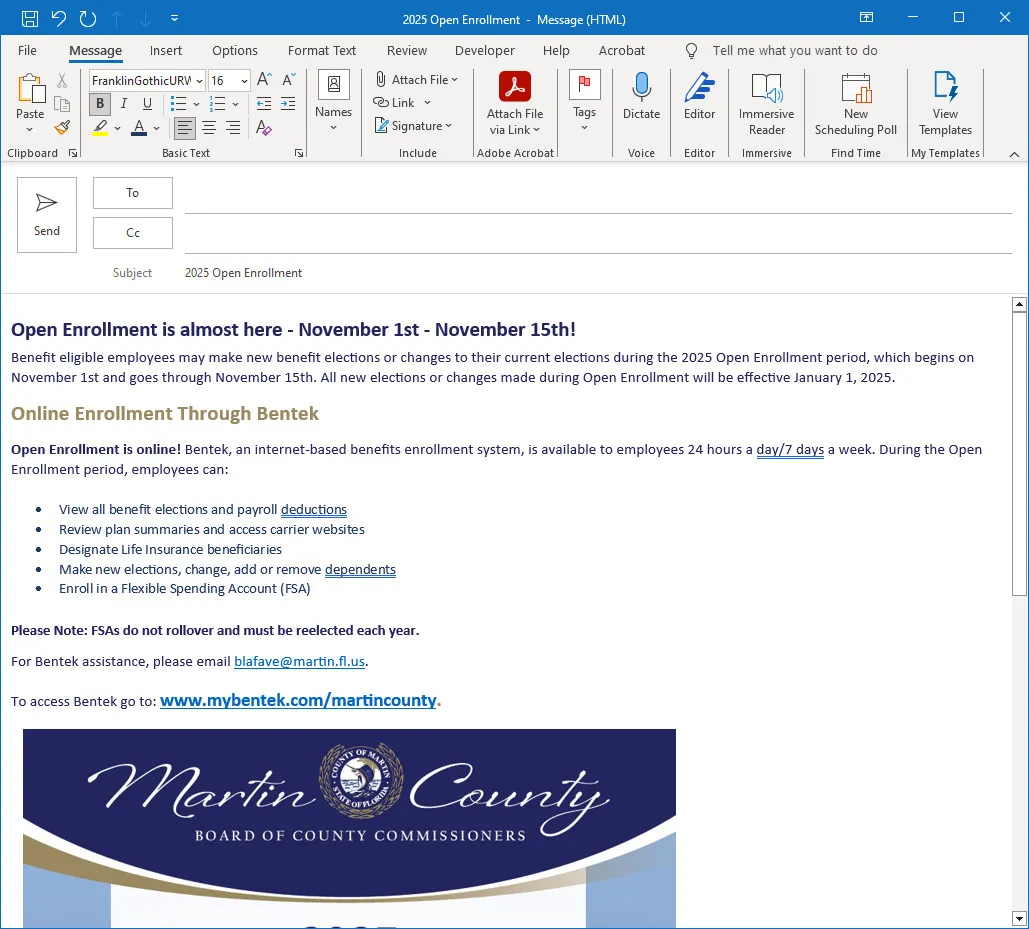
Embedded Flyer Example

Why Is This Right?

All of the important information is included in the body of the email along with the embedded flyer image. This ensures that every user, regardless of their technology or preferences, can access the information.