
Web Pages
Web editors who manage web pages on the Martin County Website should follow these accessibility principles and best practices. Note that accessibility best practices apply to all web content, including documents and media that you may also upload or link to on your web pages.
Components
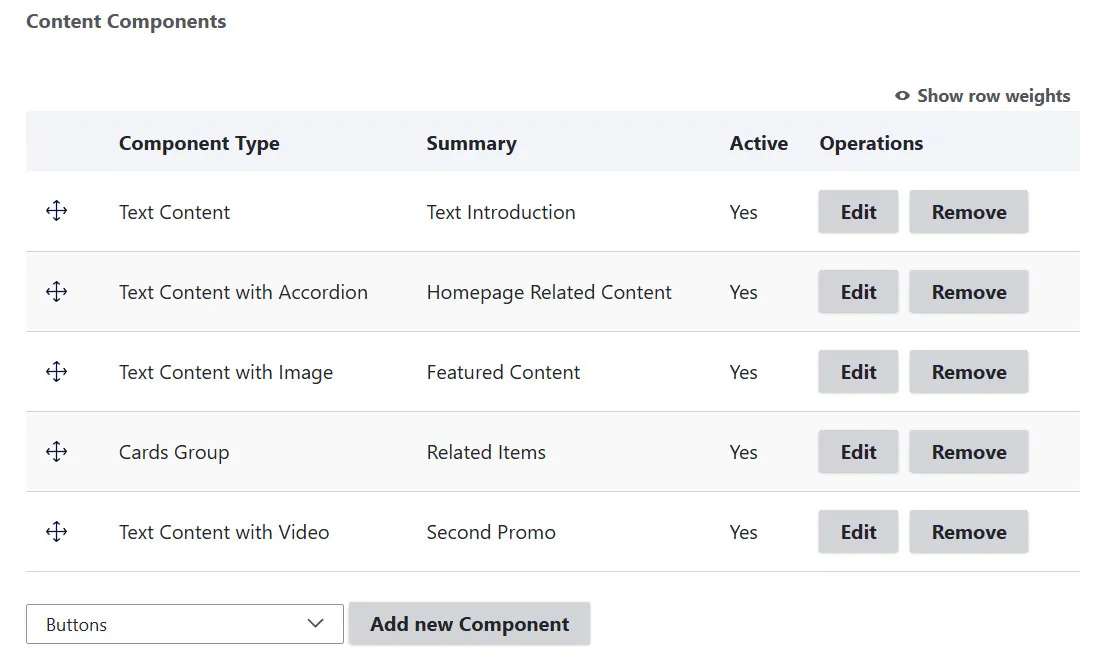
The good news is that our Drupal components are designed to provide an accessible foundation. When you use the approved components as intended, most of the technical accessibility work has already been done for you.
You are still responsible for making the content you add, such as text, images, links, documents, tables, and media, accessible.
Web Page Structure
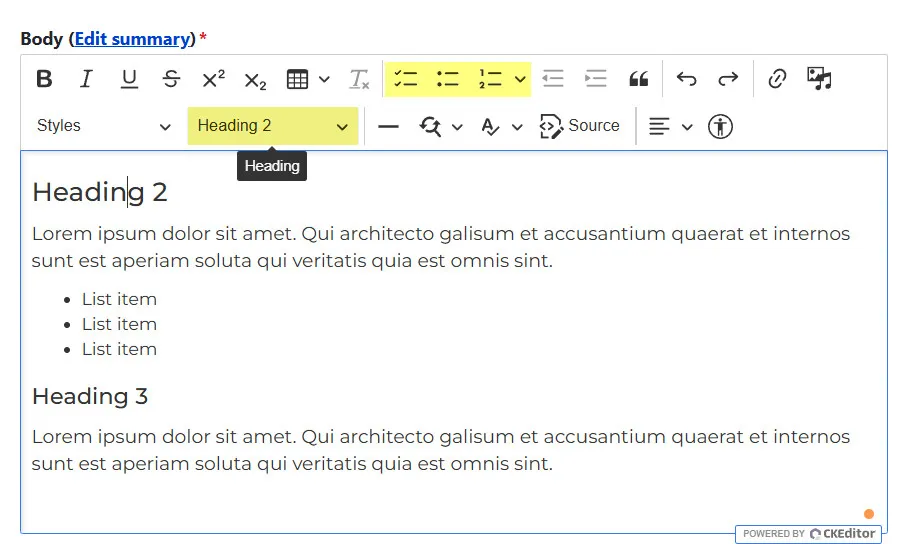
Use the toolbar icons in Drupal's rich text editor (CK Editor) to apply styles and to properly format your content in a logical structure.
- Add a concise, meaningful page title (this is default H1).
- Organize content into logical sections with clear, informative headings.
- Use headings in correct hierarchical order (H2, H3, H4, etc.).
- Use list styles to create proper bulleted or numbered lists.
Images
Alt text is required when uploading an image to your web page. Alt tags provide a text alternative to the image that gets read aloud by screen readers for users with impaired vision.
- Keep it short and concise (125 characters or less).
- Avoid starting with "image of" or "picture of."
- Describe the image’s context and purpose.
Color
When using color and images with text, you must ensure that your color combinations are WCAG 2.1 AA compliant.
- To achieve this, all work must be checked using the WebAIM Contrast Checker.
- Do not rely on color alone to convey meaning, as some users may see colors differently.
Links
If you add hyperlinks on your web page, the link text should be descriptive, telling the user what to expect. Linked text should clearly tell the user what the function of the hyperlink is. Avoid generic text like "here" or “click here.” Instead, make each link unique and informative. See best practices for writing links.
Tables
- Only use tables for data. Do not use them for layout purposes.
- Keep tables simple. Complex tables with nested or merged cells can complicate accessibility tagging.
- Always consider alternatives to tables; for instance, determine if the same information can be effectively communicated using bulleted lists.
Videos
Ensure any added videos include accurate captions and audio descriptions.
Testing Web Pages
Test your web pages to ensure they meet WCAG 2.1 AA accessibility criteria.
- Editoria11y Accessibility Checker:
- When logged in to Drupal, web editors can see icons at the bottom of pages to identify accessibility issues. This is currently enabled on the County Website.
- CKEditor Accessibility Checker:
- Scans content created in Drupal's CKEditor for accessibility issues before publishing. This feature is currently enabled for web editors.
- Axe DevTools:
- A free, industry-standard browser extension that detects web accessibility issues with high accuracy. It’s user-friendly and doesn’t require advanced accessibility knowledge. To install, contact the ITS Help Desk.
- WAVE Web Accessibility Evaluation Tool:
- Copy the URL of the page you want to test and paste it into the tool for an immediate accessibility report. This tool is free and available to all users.
Free Screen Readers
PC: Narrator
Narrator is the built-in screen reader that comes with Windows.
- To launch Narrator, press the Windows logo key + Ctrl + Enter
- Narrator User Guide
Mac & iPhone: VoiceOver
VoiceOver is the built-in screen reader that comes with iOS devices.
- To launch VoiceOver, press Command + F5
- VoiceOver User Guide