
Alt Text

Alternative text, or "alt text," is a description of an image that is read aloud by assistive technologies. Providing alt text for images, charts, icons, and other visual elements is essential for accessibility, helping individuals who cannot see the content understand the image’s context and purpose.

Best Practices


  1. Keep it short. Use 125 characters or less to convey essential information.
  2. Purpose. Alt text should communicate the same information as the visual content.
  3. Relevance. Focus on the image’s content and context, rather than simply describing how the image looks.
  4. Don't include phrases like “image of,” “photo of,” or “graphic of.” Just describe the content (e.g., use “a running dog” instead of “image of a running dog”). Screen readers already announce an image as such.
  5. Use proper grammar. Include punctuation and proper grammar to make your alt text sound more human.
  6. Complex images: Provide a longer description for detailed images like infographics, graphs, maps, or flow charts. This can be a caption, paragraph text, or linked text-based explanation.

Informative Images


Images that represent concepts, information, or emotions, and are typically graphics, photos, and illustrations. The alt text should be a short description conveying the essential information presented by the image.

Decorative Images


If an image conveys no important information necessary for the user to understand the page content, it can be considered decorative because its only function is to enhance the appearance of the page. These images can include stock photos included just for “eye candy.”  When marked as a decorative image, a screen reader will ignore it.

Images of Text


"Images of text" are graphics that feature text overlaid on images or designs. Images of text should not be the primary way to convey important information because they present accessibility challenges.

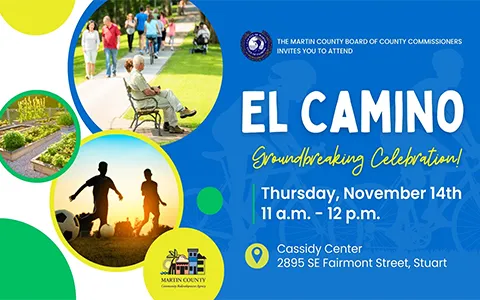
El Camino Groundbreaking Celebration, Thursday, November 14, 2024, from 11 AM to 12 PM at the Cassidy Center, 2895 SE Fairmont Street, Stuart
Hobe Sound Public Library Soft Opening, September 3!

Accessibility Considerations:

  • Screen Readers: Cannot read text embedded in images.
  • Readability: Enlarged text may become pixilated and unreadable.
  • Copying: Text in images can't be copied for use elsewhere.
  • Visibility: Users who choose to disable images miss the content.
  • Translation: Cannot be easily translated into other languages.

Best Practice:

It is generally best to avoid including text in images. However, if your visual contains a small amount of text, your alt text should include the same words as in the image so that screen reader users don't miss the information in the visual.

If the image contains a considerable amount of text, which would be too much for alt text, include the information elsewhere, such as on a web page, or in the body of your post, email, or newsletter.

Inaccessible "Image of Text"
Stuff the bus

Why is this inaccessible?

A screen reader can't read embedded text in images. Additionally, users with images disabled will miss the information, and the text can't be copied or translated for non-native speakers.

Solution: 

When sharing the image, include the text separately in the post, email, or web page to ensure accessibility for all users.

Inaccessible "Image of Text"
Stuff the Bus Food Drive Flyer

Why is this inaccessible?

This flyer was created in a design program and exported as an image. It contains too much text for alt text.

Solution: 

Include the text in the body of the email, post, or web page to make it accessible to screen readers and users with images disabled, or recreate it as an accessible PDF.

Images that Convey Complex Information


Complex images on web pages, such as graphs, charts, or diagrams, may contain too much information to be effectively described using alt text alone. Instead, these images should be accompanied by a longer text-based description on the same page, such as a figure caption or a dedicated section, to provide equivalent access to the information.

The key question to ask is: given the current context, what information is this image intended to communicate? That same information must be provided to people who are unable to see the image.